

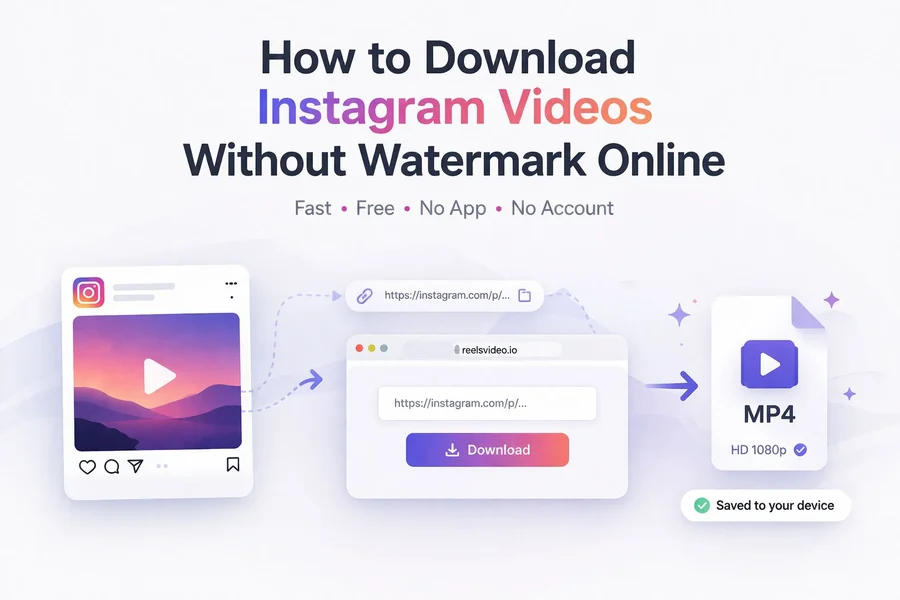
How to Download Instagram Videos Without Watermark Online
Instagram doesn’t have a download button for most of its content. You can save videos to your collections inside the app, but that doesn’t put the file on your device — and if the creator deletes the post, it disappears from your saved list too. The clean solution is a free online downloader that grabs the original MP4 directly from Instagram’s servers and saves it to your phone or computer — no watermark, no app installation, no account needed. Here’s how to use an instagram video downloader online in under a minute on any device.
What Types of Content Can You Download?
A good Instagram downloader handles all public content types:
| Content Type | Format | Typical Quality |
| Feed videos | MP4 | HD 720p or Full HD 1080p |
| Reels | MP4 (vertical) | HD 720p or Full HD 1080p |
| IGTV | MP4 | HD 720p |
| Stories | MP4 or JPG | Original upload quality |
| Carousel photos | JPG | Up to 1080 × 1350 px |
Private accounts are not accessible — this is Instagram’s own restriction that no external tool can bypass.
How to Download Instagram Videos Without Watermark — Step by Step
Open reelsvideo.io in any browser. Free, no sign-up required.
- Open Instagram and find the video, Reel, or post you want to save.
- Tap the three dots (••• on iPhone, ⋮ on Android) on the post.
- Select Copy link.
- Go to reelsvideo.io in your browser.
- Paste the link into the input field and tap Download.
- The original MP4 file saves to your device in HD quality — no watermark added.
On Android
Chrome handles the download without extra steps. The MP4 goes straight to your Downloads folder and appears in the Gallery automatically. If you don’t see it in the gallery, check the Download folder in your file manager.
On iPhone
Safari sometimes tries to play the video in the browser instead of saving it. Here’s the fix:
- Copy the Instagram link.
- Open Safari and go to reelsvideo.io.
- Paste the link and tap Download.
- If the video plays in the browser — tap and hold on the video, then choose Download Linked File.
- The file appears in Files → Downloads. From there you can move it to Photos if needed.
On PC or Mac
- Open Instagram in your browser and navigate to the post.
- Click the three dots and select Copy link.
- Open reelsvideo.io in a new tab.
- Paste the link and click Download.
- If the video opens in the browser, right-click and choose Save video as.
- The MP4 saves to your Downloads folder.
Why Is There No Watermark?
The downloader retrieves the original video file directly from Instagram’s servers — the same file that exists before any platform branding is applied. This is different from Instagram’s native share or download option, which adds the platform’s watermark to the video. No editing or processing is done on the file itself.
What Quality Will the Downloaded Video Be?
You get whatever quality the creator originally uploaded — typically HD 720p or Full HD 1080p for Reels and feed videos. The downloader doesn’t re-compress or reduce quality. Instagram itself compresses content when it’s uploaded, so what you download is the best version available on the platform, not the creator’s original raw file.
Why Download Instead of Saving to Collections?
Instagram collections are convenient but have real limitations:
- If the creator deletes the post, it disappears from your saved collection too
- You can’t watch saved content offline without an internet connection
- You can’t share the file directly outside of Instagram
- You can’t use it in your own editing projects
With the actual MP4 file on your device, the video stays yours regardless of what happens on Instagram.
Is It Safe to Use?
Yes — you only need to paste a link. A legitimate Instagram downloader never asks for your Instagram password or login credentials. If any site asks you to log in to Instagram to download a video, leave immediately. ReelsVideo.io only requires the public link to the post.
Frequently Asked Questions
Can I download videos from private Instagram accounts?
No. Downloaders only work with public accounts. Private content is not accessible from external tools.
Will the creator know I downloaded their video?
No. Instagram does not notify creators about downloads made through external services.
Is there a limit on how many videos I can download?
No limits. Download as many videos as you need, completely free.
Can I use downloaded videos in my own projects?
For personal use — watching offline, keeping a backup, using as reference — there’s no issue. If you want to republish or use the content commercially, you need permission from the original creator and should respect copyright on any music included in the video.
The Fastest Way to Save Any Instagram Video
Copy the link, paste it into download instagram video free at reelsvideo.io, and hit Download. Your MP4 is on the device in seconds — in original HD quality, without any watermark, on Android, iPhone, or computer.
