

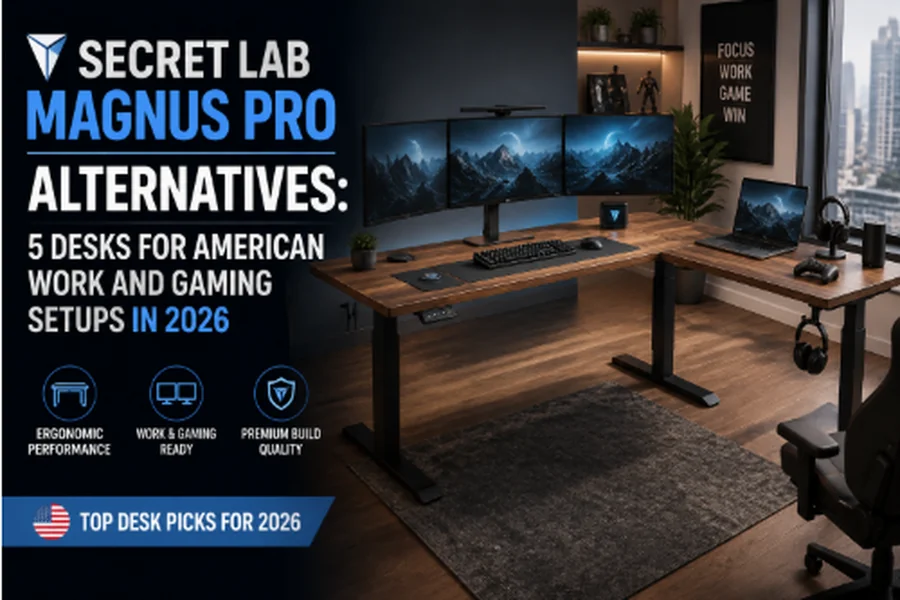
Secretlab’s MAGNUS Pro alternatives worth considering in 2026 include the Corsair Platform:4 Elevate, Ergonofis Shift, Autonomous SmartDesk 5, Desky L-Shape Laminate Sit Stand Desk, and Oakywood Standing Desk Pro, each closing a specific gap the MAGNUS Pro leaves open: price, desktop material, cable routing, or monitor support. The MAGNUS Pro’s $799 to $949 price sits above several options here; its all-metal desktop trades warmth for durability, and its accessory ecosystem locks buyers into Secretlab-branded arms and mats.
Most shoppers comparing standing desks fixate on height range and motor count. Desktop depth, cable routing, and monitor support determine whether a desk can support a triple-monitor gaming rig or a home office crowded with a webcam and a second display.
No brand paid for a spot on this list, none of the links here are affiliate links, and no product here earns a commission for its placement.
1. Corsair Platform:4 Elevate – Best for Streamers and Creators
Corsair builds the Platform:4 Elevate around an included monitor arm, an Elgato-ready mounting post, and an oversized cable tray, making it the closest thing to a plug-and-play streaming rig here. Its 30-inch desktop runs deeper than the MAGNUS Pro’s 27.6 inches, room enough for a capture card and stream deck, and it carries a matching 5-year warranty.
What to like:
- Elgato Mount Ready arm included standard, a $149 add-on on the MAGNUS Pro
- 30″ depth beats the MAGNUS Pro’s 27.6″, useful for capture cards and stream decks
- Frequently discounted well below its $999 MSRP
What can improve:
- Only two height presets, thin for sitting, standing, and gaming positions
- Optional pegboard costs an extra $299 with separate assembly
Platform:4 Elevate is most suited for: Streamers and creators who want Elgato-compatible mounting and cable management included, not bought separately.
Get in touch:
Address: 115 N. McCarthy Blvd., Milpitas, CA 95035
Phone: +1 888-222-4346
X (Twitter): x.com/corsair
2. Ergonofis Shift – Best for Hidden Cable Routing
Ergonofis engineers the Shift around a cable system reviewers single out as its defining feature: a privacy screen hides a 9-outlet surge protector, while a cable net and grid-mounted ties route everything else beneath the 30-inch desktop. The frame carries a 10-year warranty, double the MAGNUS Pro’s.
Ergonofis’s parent company went through an insolvency process in 2026, and a court trustee listed the brand’s assets for sale. The storefront remains live and still ships to the US, but confirm ownership terms before ordering.
What to like:
- Privacy screen conceals a full 9-outlet surge protector, the most complete built-in power option here
- 10-year frame warranty, double the MAGNUS Pro’s coverage
- Four height presets versus the MAGNUS Pro’s three
What can improve:
- Max height of 50.2″ can run short for users over 6’1″
- Recent ownership transition; confirm current support terms before buying
Shift is most suited for: Buyers who want cable routing built into the desk’s structure, not added with clips and sleeves.
Get in touch:
Address: 51 Rue de Louvain O, Montréal, QC, Canada (ships to the US)
Phone: +1 877-377-8263
X (Twitter): x.com/ergonofis
3. Autonomous SmartDesk 5 – Best for Built-In Cable Control
Autonomous built the SmartDesk 5 around a touchscreen controller and a cable system integrated into the frame, with a drop-down compartment hiding a power strip instead of an add-on tray. Its 29-inch HDF desktop and C-shaped legs leave more knee clearance than the MAGNUS Pro’s base, and pricing starts at $599, under the MAGNUS Pro’s $799 floor, with a 10-year frame warranty.
What to like:
- Touchscreen control with 3 presets, easier to operate than a button panel
- Built-in drop-down cable compartment plus integrated power outlets
- 10-year frame warranty at a price $200 below the standard MAGNUS Pro
What can improve:
- Touchscreen response can lag slightly compared to physical buttons
- Desktop warranty runs only 2 years versus the frame’s 10
SmartDesk 5 is most suited for: Buyers who want cable management and height control built into the frame itself.
Get in touch:
Address: No publicly verified US street address (offices listed in New York and San Francisco)
Phone: Not publicly listed; support is handled through email and live chat
X (Twitter): x.com/autonomous_labs
4. Desky L-Shape Laminate Sit Stand Desk – Best L-Shaped Standing Desk
Desky builds the L-Shape Laminate Sit Stand Desk on a triple-motor frame rated to 440.9 lbs, roughly two-thirds more capacity than the MAGNUS Pro’s 265 lbs, and that extra lifting power earns its keep once the desk carries a full L-shaped surface instead of a single straight top. An Integrated Cable & Power Channel runs the length of both desktop wings, with an optional powered upgrade supporting up to 9 outlets, well beyond the single power column built into the MAGNUS Pro’s frame.
The desktop ships in two sizes, a 59 x 29.5 x 61.5 x 20-inch layout or a larger 70.9 x 29.5 x 69.5 x 24-inch version, and configures across 8 laminate finishes (White, Black, Natural Walnut, Classic Oak, Jarrah Legno, Burnished Wood, Sublime Teak, and Prime Oak) paired with 4 frame colors (Matte Black, White, Space Gray, or Gray).
An optional grommet upgrade adds cable pass-through on top of the built-in channel, and the frame carries BIFMA, UL, CSA, and TÜV Rheinland certification the MAGNUS Pro’s own listing doesn’t reference. App and Siri control handle four programmable height presets, assembly is tool-free, and is backed by a 10-year warranty on the frame.
Watch Desky L-Shape Sit Stand Desk in a Gaming Setup.
What to like:
- Triple-motor frame lifts 440.9 lbs, well above the MAGNUS Pro’s 265-lb ceiling
- Integrated Cable & Power Channel spans both wings with room for up to 9 outlets
- BIFMA, UL, CSA, and TÜV Rheinland certified frame, plus a 10-year warranty
What can improve:
- L-shaped footprint needs corner or dedicated floor space
- Starting price of $1,089 sits well above the MAGNUS Pro’s $799 entry point
Desky L-Shape Laminate is most suitable for: Multi-monitor power users who need L-shaped surface area and a heavier-duty frame than a straight desk provides.
Get in touch:
Address: 500 Red Stag Way, Sweetwater, TN (not open to the public)
Phone: +1 800-696-9017
X (Twitter): x.com/deskyau
5. Oakywood Standing Desk Pro – Top-Tier Workspace Aesthetics
Oakywood makes its case on wood variety: solid walnut and solid oak, plus veneer options, finished with eco-friendly oil wax, two real wood species against the single birch finish on the Corsair. The Ergonofis and Autonomous entries here run on laminate or engineered board; Desky’s L-Shape line also comes in hardwood, bamboo, and softwood, though the laminate build is the configuration compared in this roundup.
The desktop configures across six width and depth options, moves at a near-silent 60mm/s under 40dB, and starts at $1,429, with 7 to 9 weeks of production before it ships to the US.
What to like:
- Solid walnut, oak, or veneer desktops, a genuine wood option the MAGNUS Pro doesn’t match
- Fully configurable width, depth, and finish through an online builder
- LINAK frame carries a 10-year warranty, double the MAGNUS Pro’s coverage
What can improve:
- Starting price of $1,429 runs well above the MAGNUS Pro’s $799 to $949 range
- Custom orders take 7 to 9 weeks to produce before shipping
Best for: Buyers who want genuine wood desktops and a configurable footprint over a laminate or metal desk.
Get in touch:
Address: Oakywood LLC, 30 N Gould St Ste R, Sheridan, WY 82801
Phone: +48 459-567-958 (Poland-based support, Mon-Fri 8:00-16:00 CET)
Instagram: instagram.com/oakywood
Quick Comparison: 5 Alternatives vs. the Secretlab MAGNUS Pro
| Attribute | Secretlab MAGNUS Pro (baseline) | Corsair Platform:4 Elevate | Ergonofis Shift | Autonomous SmartDesk 5 | Desky L-Shape Laminate Sit Stand Desk | Oakywood Standing Desk Pro |
| Award | N/A | Streamers & Creators | Hidden Cable Routing | Built-In Cable Control | L-Shaped Standing Desk | Top-Tier Workspace Aesthetics |
| Depth | 27.6″–31.5″ | 30″ | 30″ | 29″ | 29.5″ (both wings) | Custom, 60–85cm |
| Cable Management | Full-length tray, power column | Oversized tray, storage cubby, USB-A/C | Privacy screen, 9-outlet surge protector | Drop-down compartment, built-in outlets | Cable & Power Channel, up to 9 outlets | Grommet system |
| Monitor Support | Proprietary arms only | Included arm, Elgato-ready | Not included | Not specified | Multi-monitor surface, no arm | Sold separately |
| Materials | Steel, MDF/bamboo top | Laminate or birch wood | Anti-fingerprint laminate | HDF desktop | Laminate, BIFMA/UL/CSA/TÜV frame | Solid walnut, oak, or veneer |
| Controls & Movement | LED panel, 3 presets, dual motor | Push-button, 2 presets, dual motor | Digital panel, 4 presets, dual motor | Touchscreen, 3 presets, dual motor | App + Siri, 4 presets, triple motor | Handle + display, presets, dual motor |
| Warranty | 5 years | 5 years | 10 yrs frame / 5 yrs top | 10 yrs frame / 2 yrs top | 10 years | 5 yrs desk / 10 yrs frame |
| Price | $799–$949 | $450–$999 | $945 | $599 | From $1,089 | From $1,429 |
Practical Tips for American Work and Gaming Setups
Matching a desk to an American home office or gaming room comes down to a few checks that matter more than the spec sheet’s headline numbers.
Tip #1: Measure for your monitor count: A single ultrawide fits the MAGNUS Pro’s 27.6″ depth fine, but a triple-monitor arm needs the 29″-30″ the Corsair, Ergonofis, and Autonomous desks offer.
Tip #2: Count your outlets before your motors: Built-in outlets, like the Desky L-Shape or Ergonofis Shift, save buying a separate power strip for a PC tower and monitor dock.
Tip #3: Check production timelines, not just price: Oakywood’s custom builds take 7 to 9 weeks to ship, while the Corsair, Autonomous, and Desky options typically ship within days.
Tip #4: Confirm warranty covers frame and desktop separately: Several desks here split coverage, with 10 years on the motor and frame but only 2 to 5 on the desktop surface.
Tip #5: Verify return policies before ordering: Desks in the 150 to 200 lb range are costly to return once assembled, so confirm trial periods directly with the retailer.
FAQs
What desk do pro gamers actually use?
Professional gamers and streamers favor desks with dedicated monitor mounts, built-in cable management, and enough depth for a capture card, which is why options like the Corsair Platform:4 Elevate show up in competitive setups.
Are standing desks worth it for gaming?
Standing desks let players break up long sessions by shifting position without leaving their setup, and quiet dual or triple motors adjust height mid-game without disrupting play. The real value is less stiffness over multi-hour sessions, not a performance boost.
How much weight can a gaming desk hold?
Capacity varies by frame design, from the MAGNUS Pro’s 265 lbs to the Desky L-Shape’s 440.9 lbs on its triple-motor frame. Add up your PC tower, monitors, and audio gear before assuming any desk handles a full battlestation.
Is the Desky L-Shape worth the extra cost and space compared to a straight desk like the MAGNUS Pro? The Desky L-Shape starts above the MAGNUS Pro’s $799 entry price and needs a corner or dedicated floor space, but it answers both with 440.9 lbs of capacity, a 10-year warranty double the MAGNUS Pro’s coverage, and 8 desktop finishes to match a room’s decor. It makes sense for multi-monitor or dual-workstation setups; a straight desk fits better in a tighter footprint.
The Bottom Line
The thing that ends up annoying you about a desk day to day usually isn’t the height range or motor count most buyers compare first, it’s the cable that keeps tangling every time you reach for the keyboard, or the third monitor hanging past the edge of the desktop, exactly the depth, routing, and support gaps this list opened with.
That’s the real test these five pass in different ways. The Corsair fixes the MAGNUS Pro’s missing monitor arm and streaming hardware, the Ergonofis and Autonomous fix its cable and control-panel gaps for less money, and the Desky L-Shape and Oakywood fix its size and material limits at a premium.
Pick based on the specific MAGNUS Pro compromise you’re actually trying to fix, not whichever spec sheet reads the longest.
References
Raymond Chabot. (n.d.). Ergonofis brand: Assets for sale. Raymond Chabot. https://www.raymondchabot.com/en/business/assets-for-sale/ergonofis-brand/
TechRadar. (n.d.). Desky Dual Bamboo Sit Stand Desk review. TechRadar. https://www.techradar.com/pro/desky-dual-bamboo-sit-stand-desk-review
